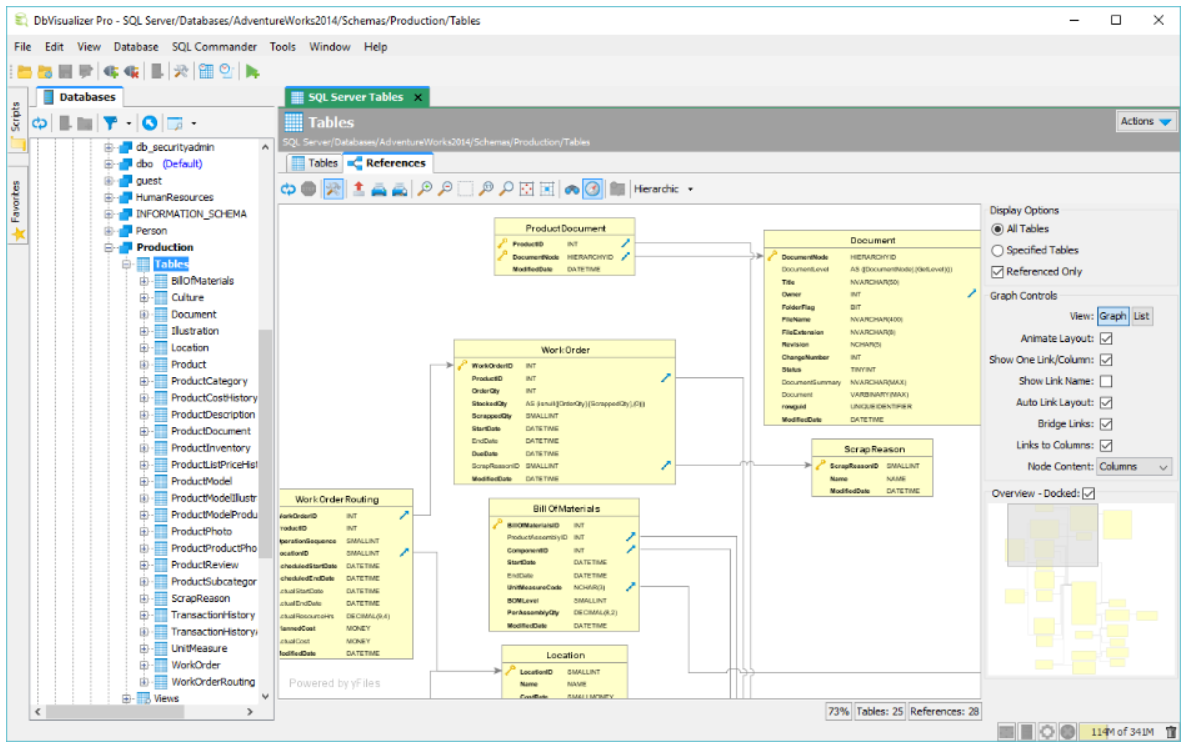
DbVisualizer is a universal database client that connects to any JDBC-compatible database through a single interface. It provides visual query building, schema browsing, and data export capabilities for developers and analysts working across multiple database platforms. Readers exploring dbvisualizer will also find context in Reginald Williams: A Life Marked by Resilience and Public Scrutiny
Origins and Development of the Platform
DbVisualizer was developed by DbVis Software AB, a company based in Sweden. The tool was first released in 2001 and has since evolved into a cross-platform application written in Java. Its architecture relies on JDBC drivers, which allows it to connect to a wide range of relational databases without requiring native client installations. wikipedia.org/wiki/DbVisualizer” rel=”noopener noreferrer” target=”_blank”>DbVisualizer
Over the years, the software has maintained a consistent release cycle, with updates adding support for newer database versions and improved user interface components. The product is available in both a free edition with core functionality and a paid Pro edition that includes advanced features such as query optimization tools and team collaboration options.
How dbvisualizer Works Across Database Systems
The primary strength of dbvisualizer lies in its ability to interface with dozens of database systems through a unified workspace. Users can connect to PostgreSQL, MySQL, Oracle, SQL Server, SQLite, and many others without switching between different client applications. Each connection is managed through a visual object tree that displays tables, views, procedures, and other schema objects. dbvis.com/” rel=”noopener noreferrer nofollow” target=”_blank”>SQL Client and Database Management Software – DbVisualizer
The built-in SQL editor supports syntax highlighting, auto-completion, and execution plan visualization. Users can drag and drop tables into a visual query builder to construct joins and filters without writing raw SQL. Results are displayed in sortable grids, and data can be exported to formats including CSV, HTML, and Excel. The Pro edition adds features like reference charts, command-line interface support, and the ability to save and share connection profiles across teams.
For database administrators, the tool offers schema comparison utilities that highlight structural differences between two databases. This is particularly useful during migration projects where teams need to verify that a staging environment matches production before deploying changes.
What Is Confirmed and What Remains Unclear
The free edition has been available since the product’s early releases, and the Pro edition has been offered as a commercial license for teams needing advanced functionality. The developer, DbVis Software AB, has maintained the product for over two decades.
What remains less clear is the exact number of database systems currently supported in the latest release, as the vendor’s documentation lists compatibility with many systems but does not always specify version-level support. Pricing details for the Pro edition are not publicly listed on the main website and require direct contact with the vendor. The size of the development team and the company’s annual revenue are also not disclosed in publicly available sources.
Why This Tool Matters for Data Professionals
Organizations that manage multiple database engines often face the challenge of training staff on different client tools for each system. A single cross-platform client reduces that overhead and standardizes how teams interact with data. For freelancers and small teams, the free edition provides a capable option without licensing costs.
As data environments grow more heterogeneous, tools that abstract away database-specific client software become increasingly valuable. DbVisualizer occupies a practical niche between lightweight command-line clients and heavyweight enterprise suites, offering enough depth for daily development work without the complexity of full administration platforms.